Is Your Phone Lying? How to Diagnose Hidden Sensor Failures Before They Ruin Your Game
Your phone lies. It tells the OS it's level when it's tilted, claims stillness while shaking, and ruins your aim in a shooter because the gyroscope decided to take a coffee break. We trust these devices implicitly, yet we rarely question the silent heroes working inside: the MEMS gyroscopes and accelerometers. When these components drift or fail, the fallout isn't just a buggy app; it is a complete breakdown of immersive AR experiences and basic screen rotation logic.
Most users assume a software glitch first. They reboot. They clear cache. They reinstall the game. Meanwhile, the underlying reason for the laggy response sits ignored in the physical layer. A drop last month, one you barely noticed, might have silently damaged internal suspension springs or shifted the micro-electromechanical structure. The device boots up fine. Calls work. Photos look sharp. But the motion data? That stream is corrupted.
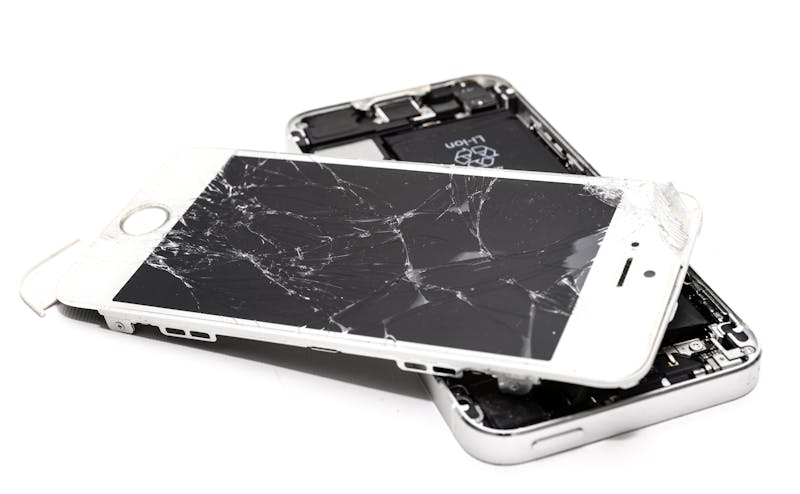
Consider the second-hand market. You buy a "mint condition" flagship. The screen is pristine. The battery health reads 95%. Yet, when you launch a racing simulator, the car drifts left even when you hold the phone straight. This isn't calibration error. This is hardware fatigue. Sellers rarely test motion hardware before purchasing, and buyers seldom think to check it. They focus on cosmetic traits while ignoring the sensor suite that makes modern interaction possible.
Why does this happen? Sensors are mechanical at their core, despite being microscopic. They rely on tiny vibrating structures to detect Coriolis forces. Drop the phone, and you introduce stress fractures or misalignments that aren't visible to the naked eye. Over time, thermal cycling expands and contracts these materials, leading to what engineers call "bias drift." The sensor output slowly wanders away from zero, introducing a phantom tilt that no amount of software smoothing can fully correct.
You need to perform validation of real-time motion data right away. Do not wait for the game to crash. Leverage tools like 'Mobile Sensor Test' to carry out inspection of the raw data streams. This approach allows you to see exactly what the OS sees, stripping away the UI polish that hides the rot.
Open the tool. Look at the gyroscope readout. Place the phone on a flat, stable surface. The values should hover near zero across all three axes (X, Y, Z). If you see a consistent offset—say, +2.5 degrees on the pitch axis—that indicates a static bias. Now, rotate the device smoothly. The curve should follow your movement instantly, then snap back to zero when you stop. If the line wobbles, lags, or refuses to return to baseline, the damping mechanism is compromised.
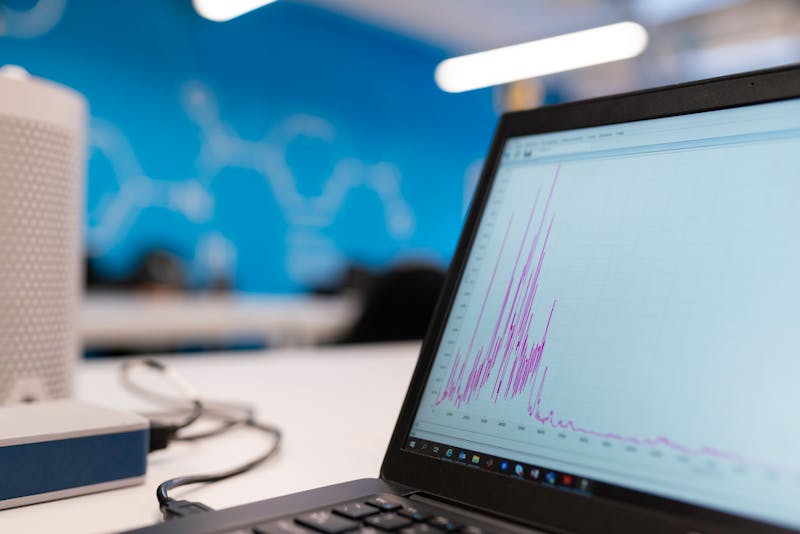
Accelerometers demand similar scrutiny. Tilt the phone 90 degrees. The G-force reading on the relevant axis must shift from 0 to roughly 1.0 (or -1.0 depending on orientation). If the transition is jerky, or if the value caps at 0.8, the sensing element might be physically restricted. Perhaps debris entered the chassis during a previous repair. Maybe the adhesive holding the sensor module degraded. These characteristics define whether your device is well-suited for high-performance gaming or destined for frustration.
Developers often try to patch over these hardware flaws with aggressive filtering algorithms. They average frames. They apply dead zones. While this masks the symptom, it introduces input latency. In a competitive shooter, those extra milliseconds mean missing a shot. The key driver here is physical integrity, not code optimization. No amount of software tuning can make a broken spring vibrate correctly.
For navigation apps, the stakes are equally high. A drifting gyroscope causes the map arrow to spin wildly when you are standing still. Pedestrian mode becomes unusable. Augmented Reality overlays float above buildings instead of sticking to the sidewalk. The experience falls apart because the foundation—the sensor fusion engine—is receiving garbage input.
Do not let faulty hardware ruin your digital experience. Before you commit to a new device, especially a pre-owned one, carry out management work for the sensor diagnostics. Spend five minutes running the tests. Check the variance. Observe the recovery time after rapid movement. If the data looks noisy or biased, walk away. The screen might be perfect, but if the invisible heroes are dead, the phone is merely a brick with a pretty display.
Spot the signs today. Demand accuracy. Your gameplay depends on it.
설정을 테스트하기 준비가 되었나요? 단 몇 초만 걸립니다.
추천 도구
온라인 마이크 테스트 - 녹음 및 소리 감지
무료 온라인 마이크 테스트 도구입니다. 마이크의 소리 출력, 에코, 노이즈 여부를 원클릭으로 확인하세요. 실시간 파형 표시와 녹음 재생을 지원하며, 별도 소프트웨어 설치 없이 개인정보를 보호합니다.
온라인 웹캠 테스트 - 카메라/비디오 작동 확인
웹캠이 정상 작동하는지 빠르게 확인하세요. 화면 선명도, 해상도 및 초점 상태를 점검할 수 있습니다. 좌우 반전, 스냅샷 촬영을 지원하며 화상 회의 전 필수 점검 도구입니다.
모바일 센서 감지 - 자이로스코프 및 가속도계
스마트폰과 태블릿의 내장 센서를 정밀 검사합니다. 자이로스코프, 가속도계 및 방향 센서 데이터를 실시간으로 읽어 기기의 모션 감지 기능이 민감한지 확인합니다.
불량화소/빛샘/멍 테스트
단색, 그라데이션, 그리드 배경을 제공하여 화면의 데드 픽셀(Dead Pixel), 핫 픽셀, 불량화소 및 빛샘 현상을 빠르게 찾습니다. 모니터 및 스마트폰 구매 후 필수 검수 도구입니다.
비디오 디코딩 성능 테스트 - 4K/8K 재생 점검
브라우저와 기기의 비디오 디코딩 성능을 온라인에서 확인하세요. 4K/8K 고화질 영상 테스트를 지원하며, 재생 끊김, 프레임 드랍, 화면 깨짐 및 싱크 불일치 문제를 빠르게 진단합니다.
주사율(Hz) 실시간 측정기
현재 화면의 실시간 주사율(FPS)을 원클릭으로 확인하세요. 모니터가 120Hz, 144Hz 또는 240Hz 고주사율 모드로 정상 작동 중인지 검증하고 화면 부드러움을 체크합니다.