Silent Phone? How to Diagnose and Fix Vibration Motor Issues with a Simple Online Test
You tap the screen. You expect a haptic thump, a physical confirmation that the device registered your touch. Instead? Nothing. Just dead silence and a static slab of glass.
It is frustrating. Immediately, your mind jumps to the worst-case scenario: the vibration motor has died, and you are looking at an expensive repair bill or a full device replacement. Hold on. Before you start dismantling your phone or booking an appointment at a repair shop, we need to carry out isolation of the actual failure point. More often than not, the underlying reason for a "silent" phone is not a broken component but a software configuration glitch, a permission denial, or a firmware update that messed with the haptic drivers.
We can leverage a free online Vibration & Haptics Test to perform deep diagnostics right in your browser. This approach allows you to validate hardware performance without installing sketchy apps or digging through obscure system menus.
The Permission Gatekeeper
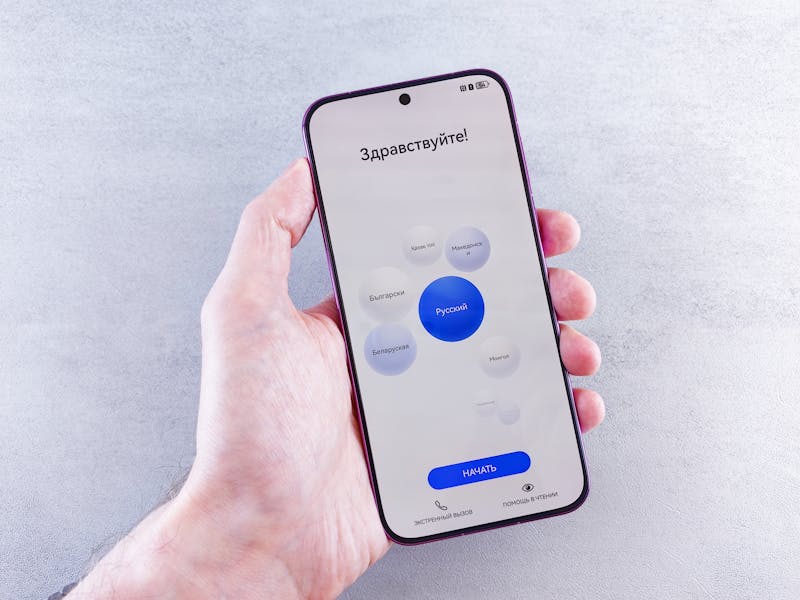
Here is the first hurdle most people miss. Modern browsers, in their zeal to protect user privacy and battery life, do not allow websites to access hardware actuators like the vibration motor by default. If you load a test page and hit "start" only to see an error or feel nothing, the issue is likely that the browser has not granted permission yet.
You must perform granting of access explicitly.
When you initiate the test sequence, watch your status bar or pop-up prompts closely. The browser will ask if you allow the site to control vibration patterns. If you dismiss this or if your system settings have globally blocked haptic feedback for the browser application, the test cannot proceed. It is not a hardware failure; it is a locked door. Go into your device settings, locate the browser permissions, and ensure haptic feedback or vibration control is set to "Allow." Once you carry out this configuration change, reload the test page.
Running the Continuous Mode Diagnostic
Now we get to the meat of the troubleshooting process. A good diagnostic tool offers more than just a single buzz; it needs to stress-test the motor under different loads. Start with the continuous mode.
This mode commands the motor to run without stopping for a set duration, usually several seconds. Why does this matter? Because intermittent failures often hide themselves during short pulses. A worn-out motor might have enough torque to give a quick tick but fails to sustain rotation due to internal friction or a weakening coil. By leveraging continuous activation, you force the component to work harder, generating heat and drawing sustained current.
Listen closely. Feel the device.
Does the vibration start strong and then fade away quickly? That suggests a power delivery issue, possibly related to the battery's ability to handle peak current draw, or perhaps the motor itself is degrading. Does it stutter? A rhythmic stuttering sensation often points to a driver conflict where the operating system is struggling to maintain the signal stream. If the motor runs smoothly and consistently throughout the entire duration, you can rule out major mechanical binding or severe electrical faults. The hardware is likely capable of sustaining operation.
Analyzing Pulse Patterns and Haptic Fidelity
Switch the test to pulse mode. This is where we examine precision.
Modern haptics are not just about brute force shaking; they rely on rapid start-stop cycles to create textures and distinct notifications. The test will trigger a series of short bursts—maybe a double tap simulation or a Morse code-like sequence. Your job is to observe the clarity of these pulses.
Are the gaps between vibrations distinct? Or do they bleed together into a muddy hum?
If the motor cannot stop quickly enough between pulses, the braking mechanism (often electronic braking in linear resonant actuators) might be malfunctioning. This is a subtle defect that standard ringtone tests often miss because ringtones are long, sustained events. A failure here indicates that while the motor spins, it lacks the finesse required for modern UI feedback. This specific trait is critical for accessibility features and nuanced notification systems. If your phone fails this pulse check, you might experience "ghost touches" or missed alerts even if the main ringer seems functional.
Interpreting the Results: Software Glitch vs. Hardware Death
So, you have run the continuous test and the pulse diagnostic. Now we need to make a decision based on the data you gathered.
Scenario A: The motor worked perfectly in the browser test. If the online tool made your phone buzz like crazy but your normal apps remain silent, the culprit is almost certainly software. The hardware is fine. You need to investigate your system sound profiles. Check if "Do Not Disturb" is aggressively filtering out haptic cues. Look at recent updates; sometimes a new OS version resets haptic intensity sliders to zero. You might need to perform a reset of app preferences or clear the cache for the system UI process. The problem lies in the logic layer, not the physical layer.
Scenario B: The motor did nothing, even with permissions granted. This is the bad news. If the browser successfully requested access, the JavaScript executed without errors, and yet the device remained completely still during both continuous and pulse modes, you are likely facing a hardware failure. The vibration motor assembly has probably disconnected internally, the connector on the motherboard has come loose (common after drops), or the driver IC has blown. At this stage, software tweaks will not help. You must proceed with physical inspection or professional repair.

Why This Method Beats Guesswork
Relying on incoming calls to test your vibration motor is inefficient. You wait for someone to call, you hope they call, and you only get one data point: a single long ring. That provides limited insight.
By using a dedicated web-based diagnostic, you take control. You dictate the pattern. You control the duration. You can repeat the test fifty times in two minutes to check for consistency. This level of granular testing allows you to identify degradation before total failure occurs. Maybe the motor works today but stutters after ten seconds of continuous use—that is a warning sign you can act on now rather than waiting for the phone to die completely next week.
Don't let a silent phone send you into a panic. Perform these checks systematically. Isolate the variable. Determine if it is a setting you can flip or a part you need to replace. Save yourself the time and the money by knowing exactly what is wrong before you open up the back cover.
准备好验证您的设置了吗?只需几秒钟。
推荐工具
在线 GPS 定位精度测试
获取当前设备的地理位置信息,测试 GPS 与 IP 定位的精准度。查看经纬度坐标、海拔高度及实时位置更新速度。
屏幕坏点/漏光/颜色检测
提供纯色、渐变与网格背景,帮助您快速查找屏幕上的死点、亮点、坏点及漏光区域。新购手机与显示器验机必备工具。
视频解码能力测试 - 4K/8K 播放检测
在线检测浏览器与设备的视频解码性能,支持 4K/8K 高清视频测试。快速排查播放卡顿、丢帧、花屏及音画不同步问题。
环境光传感器(Lux)检测
实时读取设备环境光传感器的照度数据(Lux)。测试手机或电脑的自动亮度调节功能是否正常,监测周围光线强度。
屏幕触控测试 - 多点触控检测
专业的屏幕触控测试工具,检测手机或平板的多点触控数量与响应速度。通过画线测试排查屏幕断触、死区与灵敏度问题。
浏览器通知推送测试
在线测试 Web 推送通知功能,验证浏览器与操作系统的通知权限设置。支持发送自定义测试消息,排查收不到通知的问题。