Silent Phone? How to Diagnose and Fix Vibration Motor Issues with a Simple Online Test
Your pocket stays dead silent. You miss a call, ignore a text, and wonder if the world has gone quiet or if your device just gave up. Before you start pricing out screen replacements or hunting for a repair shop down the street, stop. The culprit is rarely a catastrophic hardware failure right out of the gate. More often than not, it's a software glitch, a misconfigured setting, or a haptic engine that simply needs to be woken up.
We need to carry out a systematic diagnosis of the vibration motor using nothing but your browser. This approach lets you perform isolation of the problem without installing sketchy apps or digging through endless settings menus.
The Reality of Haptic Failure
When a phone stops buzzing, the immediate assumption is that the eccentric rotating mass (ERM) motor or the linear resonant actuator (LRA) has physically broken. While that happens, especially after a hard drop, the underlying reason for "no-vibration" scenarios is frequently rooted in the operating system's ability to send the correct signal to the hardware.
System updates can overwrite configuration files. A rogue app might seize control of the audio channel and suppress haptics. Maybe you accidentally toggled a "Do Not Disturb" rule that kills all feedback. These are software-level blockages. If we rely on an online test tool, we bypass the native notification stack entirely. We force the browser to issue a direct command to the vibration API. If the motor spins during this test, your hardware is fine, and you can stop worrying about soldering irons.
Leveraging the Browser for Direct Motor Control
Modern browsers come with capabilities to interact directly with device hardware, specifically through the Vibration API. This interface allows web pages to make the device vibrate for specified durations. It is a raw, unfiltered line of communication.
When you load a dedicated Phone Vibration & Haptics Test page, the script performs execution of specific timing patterns. It does not wait for an incoming SMS. It does not check your contact list. It simply tells the OS: "Vibrate now."

This method offers a distinct advantage over native settings. In your phone's menu, you toggle switches and hope for the best. With an online tester, you carry out manipulation of the motor in real-time. You can trigger a short burst, a long rumble, or a complex rhythm like Morse code. If the browser sends the command and the phone remains still, then we have strong evidence pointing toward a hardware defect or a deep-system permission block. If it buzzes? Congratulations. Your motor works, and the issue lies in how your messaging app or OS handles notifications.
Executing the Diagnostic Workflow
Do not just click one button and walk away. To truly diagnose the state of your haptic engine, you need to perform testing across multiple modes. Different apps and system events trigger different vibration patterns, and a motor might fail only under specific loads.
Start by initiating a continuous vibration test. This forces the motor to run without stopping. Listen closely. Does it sound smooth? Or is there a grinding noise, a rattle that suggests the internal weight is loose? A healthy motor produces a consistent hum. A dying one sounds like it's shaking apart. If the sound is erratic, the hardware is likely failing, even if it still moves.
Next, carry out validation of pulse modes. Select a pattern that mimics a standard incoming call: long buzz, pause, long buzz. Then try a rapid-fire staccato, similar to what you might feel during a game or a typing feedback loop. Some motors struggle to start and stop quickly due to wear on the bearings. If the continuous mode works but the pulses are weak or non-existent, the actuator is losing its responsiveness.

Pay attention to the intensity. Older devices often suffer from "motor fatigue," where the vibration becomes so faint you can barely feel it in your pocket. An online test lets you compare the strength against a known baseline. If your friend's phone buzzes like a angry bee and yours feels like a gentle tap, the voltage reaching the motor might be insufficient, or the motor itself is wearing out.
Distinguishing Software Glitches from Hardware Death
Here is where most people waste money. They assume the part is broken because the phone didn't buzz when a text arrived. But did you check if the browser could make it buzz?
If the online test triggers a strong, clear vibration, your hardware is fully functional. The problem is almost certainly software. You need to perform investigation of your notification settings. Check if "Silent Mode" is actually silencing haptics (some phones separate these). Look at your "Do Not Disturb" schedules. Did a recent OS update reset your accessibility settings? Sometimes, turning off "System Haptics" globally kills the feedback for everything except alarms.
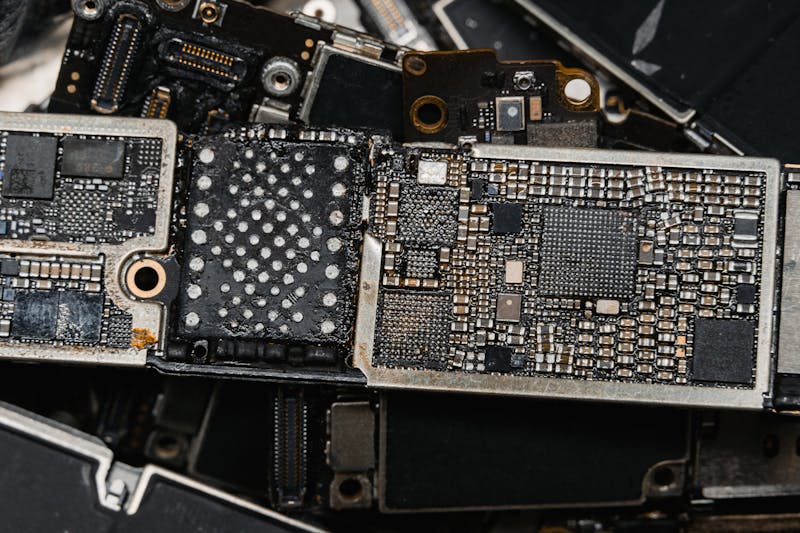
On the other hand, if the online test yields zero response across all patterns—continuous, pulse, and rhythm—and you have already rebooted the device to clear any temporary driver locks, then you are likely facing a hardware failure. At this stage, the connection between the motherboard and the motor might be severed, or the motor coil has burned out.
There is also the scenario of physical obstruction. If you recently dropped the phone, debris might be jamming the motor's movement. In rare cases, a swollen battery can press against the motor assembly, preventing it from spinning freely. If the test makes a faint whirring sound but no actual shaking occurs, something is physically blocking the mechanism.
Why Developers Should Care About This Too
This isn't just for end-users trying to fix their silent phones. If you are building web apps or progressive web apps (PWAs), you need to understand how users experience your haptic feedback.
You cannot assume every device will react the same way. iOS has strict limitations on the Vibration API compared to Android. Some browsers require user interaction before allowing vibration commands to execute; they won't let a site buzz your phone the moment the page loads. You must design your code to handle these constraints gracefully.
Use these online testing tools to verify your own implementations. If you are coding a game mechanic that relies on rhythmic feedback, run it through the test suite. Does the pattern hold up on a budget Android device? Does it feel too aggressive on a flagship phone with a high-fidelity LRA? Perform iteration of your haptic designs based on real-world performance, not just emulator output. Emulators lie; physical hardware tells the truth.
Final Verification Steps
Before you declare the device dead or ship it off for repair, do one last thing. Clear your browser cache and reload the test page. Sometimes, a stale script prevents the API from initializing correctly. Try a different browser as well. If Chrome fails to trigger the motor but Firefox succeeds, you have identified a browser-specific bug rather than a phone issue.

If you have tried multiple browsers, rebooted the phone, checked all physical switches, and the motor still refuses to spin during an online test, then it is time to accept the hardware diagnosis. The motor is gone. But for the vast majority of "silent phone" panic attacks, the solution was a simple software toggle or a stuck process that a direct API call managed to bypass.
Save your money. Test first. Repair only when the data tells you to.
Ready to test your settings? Just seconds.
Recommended Tools
Ambient Light Sensor (Lux) Test
Read real-time illuminance data (Lux) from your device's light sensor. Test auto-brightness functionality and monitor surrounding light intensity.
Online GPS & Geolocation Accuracy Test
Retrieve current device coordinates. Test the accuracy of GPS and IP-based geolocation. View latitude, longitude, altitude, and position update speed.
Headphone & Speaker Test - Left/Right Stereo Check
Professional audio output test. Accurately check Left/Right stereo balance, bass response, and distortion on headphones and speakers to ensure optimal sound quality.
Browser Push Notification Test
Test Web Push functionality online. Verify browser and OS notification permissions. Send custom test messages to troubleshoot issues with receiving alerts.
Web Bluetooth Scanner & Connection Test
Use the Web Bluetooth API to scan for nearby devices. Test browser connectivity, pairing, and data transfer capabilities (requires compatible hardware).
Webcam Test - Check Camera Resolution & Focus
Quickly verify if your webcam is working. Check resolution, focus, and clarity. Supports mirroring and snapshot capture. Essential tool before Zoom/Teams calls.