How to Test GPS Accuracy and Fix Location Drift for Field Apps
How to Test GPS Accuracy and Fix Location Drift for Field Apps
GPS drift isn’t a software bug. It’s physics colliding with urban canyons. You ship a field app, hand it to a technician standing under a steel awning, and watch the check-in marker wander across the street. The coordinates lie. They don’t lie on purpose. The hardware just struggles to triangulate satellites through concrete, while the OS throttles background polling to save battery. You can’t patch atmosphere. Baseline accuracy testing must be carried out before the device ever reaches the worksite.
Most teams treat location data as a given. It isn’t. Satellite signals bounce. Cell towers guess. Wi-Fi triangulation aligns poorly with industrial zones. I’ve watched otherwise solid geofencing rules trigger false positives because developers skipped validation routines. The fix starts right away: run a dedicated GPS and IP-based geolocation accuracy check. You’ll see raw latitude, longitude, altitude readings, as well as the refresh cadence. That raw output tells you whether your app receives a tight satellite lock or a fuzzy network approximation.
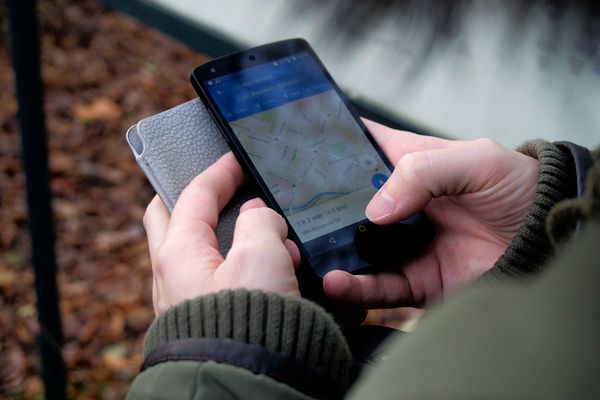
Open the Online GPS & Geolocation Accuracy Test on your target device. Grant the permission prompts without hesitation. The tool queries the hardware GNSS, that is, Global Navigation Satellite System components, first, then falls back to IP-based location if the sky view remains blocked. Watch the numbers. Latitude and longitude stabilize only when multiple satellites lock onto the receiver. Altitude drifts even when horizontal coordinates hold steady. That vertical inaccuracy stems from how satellite geometry projects onto the vertical axis, a known limitation rather than a broken sensor.
You’ll also notice update speeds fluctuate. Some phones push new coordinates every second. Others batch them into five-second intervals to preserve power. If your field workflow depends on live tracking, perform configuration for the enableHighAccuracy flag inside the geolocation API request, while at the same time acknowledging the battery drain. High accuracy demands continuous satellite polling. The device will heat up. The OS will intervene. Plan for that behavior instead of fighting it.
Drift happens. Fixing it requires separating hardware noise from software missteps. Multipath interference sends signals reflecting off glass facades, which throws your coordinate stream into a jittery loop. You can’t stop the reflection. You can, however, handle coordinate filtering work inside the app layer. Use a rolling average or a Kalman filter to smooth out sudden jumps. Reject coordinates that leap more than fifty meters between sequential pings. The key drivers for aggressive jumps usually trace back to Wi-Fi handoffs or cellular tower switching, not genuine movement.
Permission boundaries cause just as much trouble. Android and iOS restrict background location updates by default. If your app stops tracking the moment the screen locks, the issue lies in OS policy enforcement, not your routing logic. You’ll need to request foreground service permissions or adopt the latest background location APIs. Test the throttling explicitly. Put the app in the background, walk a hundred meters, then return. Compare the reported path against the actual route. The gap reveals the throttling threshold.
Geofencing demands strict tolerance bands. Drawing a ten-meter radius around a warehouse door sounds clean until you remember that consumer GPS carries a typical error margin of five to fifteen meters under ideal conditions. Expand your trigger zone to align with real-world variance. Use a hysteresis approach: enter fires at fifteen meters, exit only clears at twenty-five. That buffer absorbs coordinate chatter. You’ll stop generating phantom arrivals and departures.
Developers often assume IP geolocation serves as a well-suited fallback. It works fine for rough regional targeting, but it fails hard in dense industrial parks. IP databases map the carrier’s routing node, not the physical device. A technician on a corporate LTE network will register coordinates from a data center two towns over. If your app relies on IP fallback for safety checks, you’re building on a shaky premise. Restrict IP usage to broad compliance checks as well as general analytics. Keep satellite positioning for anything requiring meter-level precision.
Validation doesn’t end after one test. Environmental conditions shift. Cloud cover alters signal strength. New buildings block previously open sky paths. Schedule quarterly accuracy audits using the same GPS and Geolocation Accuracy Test workflow across your fleet of test devices. Log the altitude variance, record the update intervals, and make performance verification possible by comparing the outputs against your production thresholds. When a device consistently reports coordinates beyond your acceptable error margin to a significant extent, you swap the hardware or adjust your app’s tolerance logic. No mystery involved. Just measured verification.
Field apps survive on reliable location data. Treat GPS accuracy like a critical infrastructure dependency. Test it. Monitor it. Build your geofencing logic around real-world noise instead of idealized coordinate streams. The tools are already in your browser. Run the check before deployment. Fix the drift where it actually occurs. Ship confidence.
Ready to test your settings? Just seconds.
Recommended Tools
Mobile Sensor Test - Gyroscope & Accelerometer
Comprehensive check for mobile sensors. Read real-time data from gyroscopes, accelerometers, and orientation sensors to verify motion sensitivity.
Mic Tester — #1 Free Online Microphone Test & Recorder
The most trusted free online microphone test. Instantly check your mic for sound quality, echo, and background noise. Real-time waveform visualization, one-click recording, and playback. No install required. 100% private.
Touch Screen Test - Multi-Touch Detector
Professional touchscreen testing tool. Detect multi-touch points and response speed. Draw lines to identify dead zones, ghost touches, or sensitivity issues.
Browser Push Notification Test
Test Web Push functionality online. Verify browser and OS notification permissions. Send custom test messages to troubleshoot issues with receiving alerts.
Ambient Light Sensor (Lux) Test
Read real-time illuminance data (Lux) from your device's light sensor. Test auto-brightness functionality and monitor surrounding light intensity.
Webcam Test - Check Camera Resolution & Focus
Quickly verify if your webcam is working. Check resolution, focus, and clarity. Supports mirroring and snapshot capture. Essential tool before Zoom/Teams calls.