Silent Phone? How to Diagnose and Fix Vibration Motor Issues with a Simple Online Test
You tap a notification. The screen lights up, but your pocket stays dead silent. No buzz. No haptic pulse. Just a ghost of an alert that you only catch because you happened to be looking at the glass. It is a frustrating failure mode, one that often sends people straight to a repair shop before they have even ruled out a software glitch or a stuck setting.
Before you hand over cash for a motherboard swap or a motor replacement, stop. You can carry out diagnosis of the vibration hardware right now, using nothing more than the browser sitting in front of you.
The underlying reason many users miss simple fixes is that they assume silence equals broken hardware. That assumption is frequently wrong. Sometimes the operating system has simply lost the ability to send the correct signal to the actuator, or perhaps a recent update changed how the device handles haptic feedback profiles. We need to separate the signal from the mechanical failure.
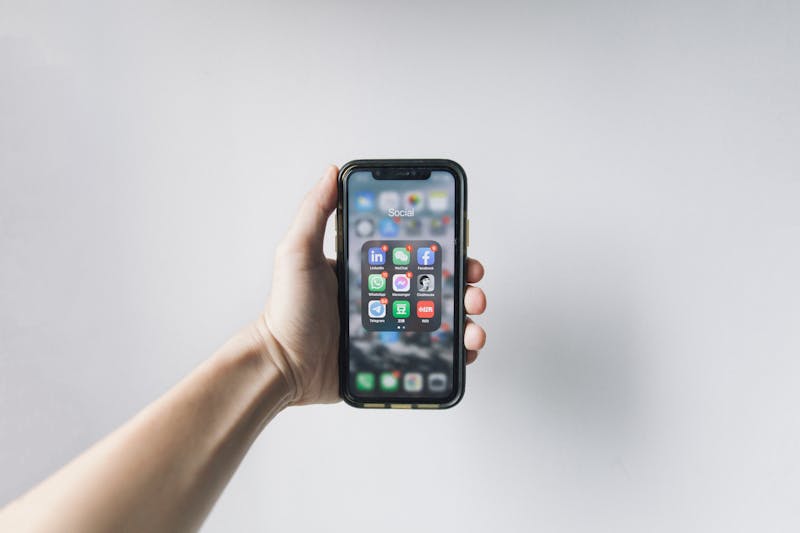
This is where a dedicated Phone Vibration & Haptics Test becomes essential. These web-based tools leverage the Vibration API built into modern browsers to make direct interaction with the device's haptic engine possible. They do not require you to download sketchy apps or grant invasive permissions. You just visit the URL, and the site attempts to trigger the motor.
Think of it as a stethoscope for your phone's nervous system.
When you load a professional-grade testing page, you are not just hitting a single "buzz" button. A robust diagnostic tool will offer three distinct modes of operation, each designed to stress-test a different aspect of the haptic subsystem.
First, there is the continuous mode. This function commands the motor to run without stopping for a set duration, usually several seconds. If your phone vibrates here, you know the motor itself is physically capable of spinning and the power delivery path is intact. If it remains silent in this mode, the issue is likely severe: either the motor is mechanically seized, the connector has come loose inside the chassis, or the OS has completely blocked vibration access at the kernel level.
Then comes the pulse test. Instead of a long drone, this mode sends short, sharp bursts of energy. This is critical for diagnosing wear. Older motors sometimes struggle to start moving from a standstill due to bearing friction or magnet degradation, even if they can keep spinning once going. A failure to pulse while succeeding in continuous mode suggests a motor that is on its last legs, struggling to overcome initial inertia.
Finally, we have the pattern test. This executes a complex sequence, like a double-tap followed by a long rumble. Modern smartphones use these patterns for specific notifications and accessibility features. If your device handles continuous and pulse tests fine but fails here, the problem often lies in the software stack interpreting the timing arrays, rather than the hardware itself. It points to a driver mismatch or a corrupted haptic profile.

Why does this distinction matter? Because the fix changes entirely based on which mode fails.
If the continuous test yields no result, you should perform a deep dive into your system settings before assuming hardware death. Check the "Sound & Vibration" menus. Ensure that "Vibrate on silent" is actually enabled. On some Android skins, a "Do Not Disturb" rule can silently swallow haptic events even when the toggle looks active. Also, verify that your browser has permission to vibrate; yes, some privacy-focused configurations block the Vibration API by default.
If you have cleared those hurdles and the motor still refuses to engage during the continuous test, then you are likely looking at a physical disconnect. In this scenario, opening the device to reseat the vibration motor connector might recover functionality. For devices with integrated haptic engines (like the Taptic Engine in iPhones), the repair path is more complex, often requiring board-level microsoldering or a full logic board exchange.
However, if the continuous test works but the pattern test fails, do not open your phone yet. The hardware is fine. The issue is almost certainly software. Try clearing the cache of your launcher app, booting into safe mode to rule out third-party interference, or checking for pending OS updates that might patch the haptic driver.
There is also the matter of new devices or recently repaired units. Quality assurance teams in repair shops should be leveraging these online tests as a standard final step. It is not enough to see the phone turn on. You must validate that the haptic feedback aligns with user expectations across all intensity levels. A replacement motor that buzzes weakly might pass a visual inspection but fail a rigorous pulse test, indicating a sub-par part or poor installation.
Using an online tester removes the guesswork. It provides an objective baseline. Instead of saying "it feels weak," you can observe whether the motor sustains the requested duty cycle or cuts out after 200 milliseconds. That data tells you whether to push for a better replacement part or adjust your seating technique.
Do not let a silent phone fool you into thinking the worst immediately. The gap between a settings toggle and a dead motor is wide, and bridging it requires precise information. By employing these three testing modes—continuous, pulse, and pattern—you gain the clarity needed to decide whether a quick config change will solve your problem or if it is time to pick up a screwdriver.
Save the trip to the repair shop for when you truly need it. Run the test first.
Bereit, Ihre Einstellungen zu testen? Nur Sekunden.
Empfohlene Werkzeuge
Bildwiederholrate (Hz) & FPS Test
Ermitteln Sie sofort die echte Bildwiederholrate (FPS) Ihres Bildschirms. Prüfen Sie, ob 120Hz, 144Hz oder 240Hz korrekt aktiviert sind.
HDR Display & Farbraum Test
Prüfen Sie, ob Ihr Monitor oder Handy HDR (High Dynamic Range) unterstützt. Vergleichen Sie SDR mit HDR und testen Sie Helligkeit sowie Farbtiefe.
Smartphone Sensoren Test - Gyroskop & Beschleunigung
Umfassender Test für Handy- und Tablet-Sensoren. Lesen Sie Daten von Gyroskop, Beschleunigungsmesser und Kompass in Echtzeit aus.
Umgebungslichtsensor (Lux) Test
Lesen Sie den Helligkeitssensor (Lux) Ihres Geräts in Echtzeit aus. Testen Sie die automatische Helligkeitsregelung von Handy oder Laptop.
Mikrofon Test Online - Aufnahme & Pegel prüfen
Kostenloser Online-Mikrofontest. Prüfen Sie sofort Ton, Echo und Rauschen. Mit Echtzeit-Wellenform und Wiedergabe. Kein Download nötig, sicher und privat.
Kopfhörer & Lautsprecher Test - Stereo Links/Rechts
Professioneller Audio-Test für Kopfhörer und Lautsprecher. Prüfen Sie die Balance zwischen linkem und rechtem Kanal, Bassleistung und Verzerrungen.